

NordVPN call protection is now available on Android to flag potential scams | Infinium-tech
Today, NordVPN is launching a call protection feature for Android users in the US, UK, EU, Japan, Norway, Switzerland, Liechtenstein, Iceland, Australia, and Canada. It warns you about potential scams before you pick up the phone.
For this to work it is necessary to know clearly which numbers are calling you. According to the official press release, it analyzes “various intel” to “define phone number reputation.” If it thinks it might be a scam call, you’ll be notified by a warning message displayed next to the caller’s phone number.
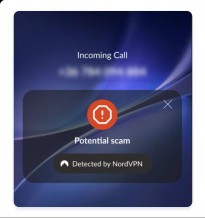
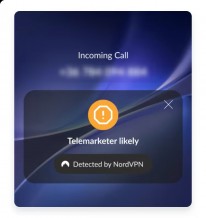
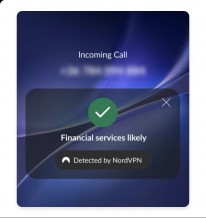
NordVPN Call Security Notifications
This feature is part of the NordVPN app, so if you already have it, no additional download is needed. Call protection works regardless of whether you are currently connected via VPN or not. For call security you must have a premium NordVPN subscription.
To set up call protection, go to the Threat Protection screen inside the NordVPN app for Android and turn it on. Once you do this, the app will offer to redirect you to your phone’s Settings, where you can complete the setup by toggling all the necessary settings in your Android Settings. Once you’re done, you’ll get a confirmation of successful setup inside the NordVPN app.














Leave a Reply